
Dropboy have support for some webhooks, which help companies to integrate their own systems with Dropboy.
Dropboy currently support these webhooks:
- Order creation
- On pickup
- On delivery
- On ETA changed
- On Waypoint Change
- Task lists planned
- "Driver is on the way"
- Order tracking
- Vehicle Tracking
To enable and setup webhooks, you have to go into Settings... Developer tools(1) in the side menu, and then to Edit webhook settings (2) using the pencil to access. It should look like this
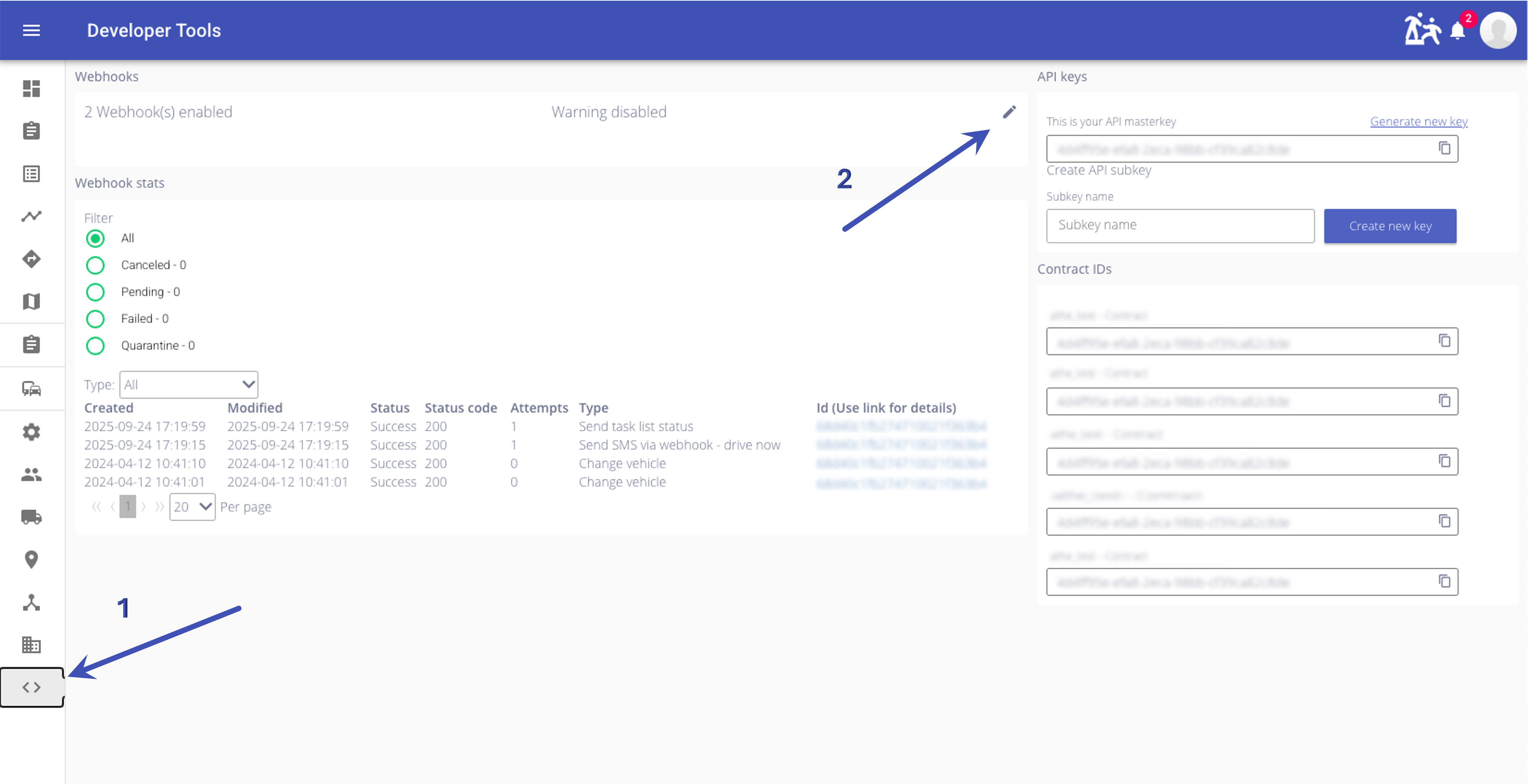
The list of available webhooks
Edit webhook settings mode
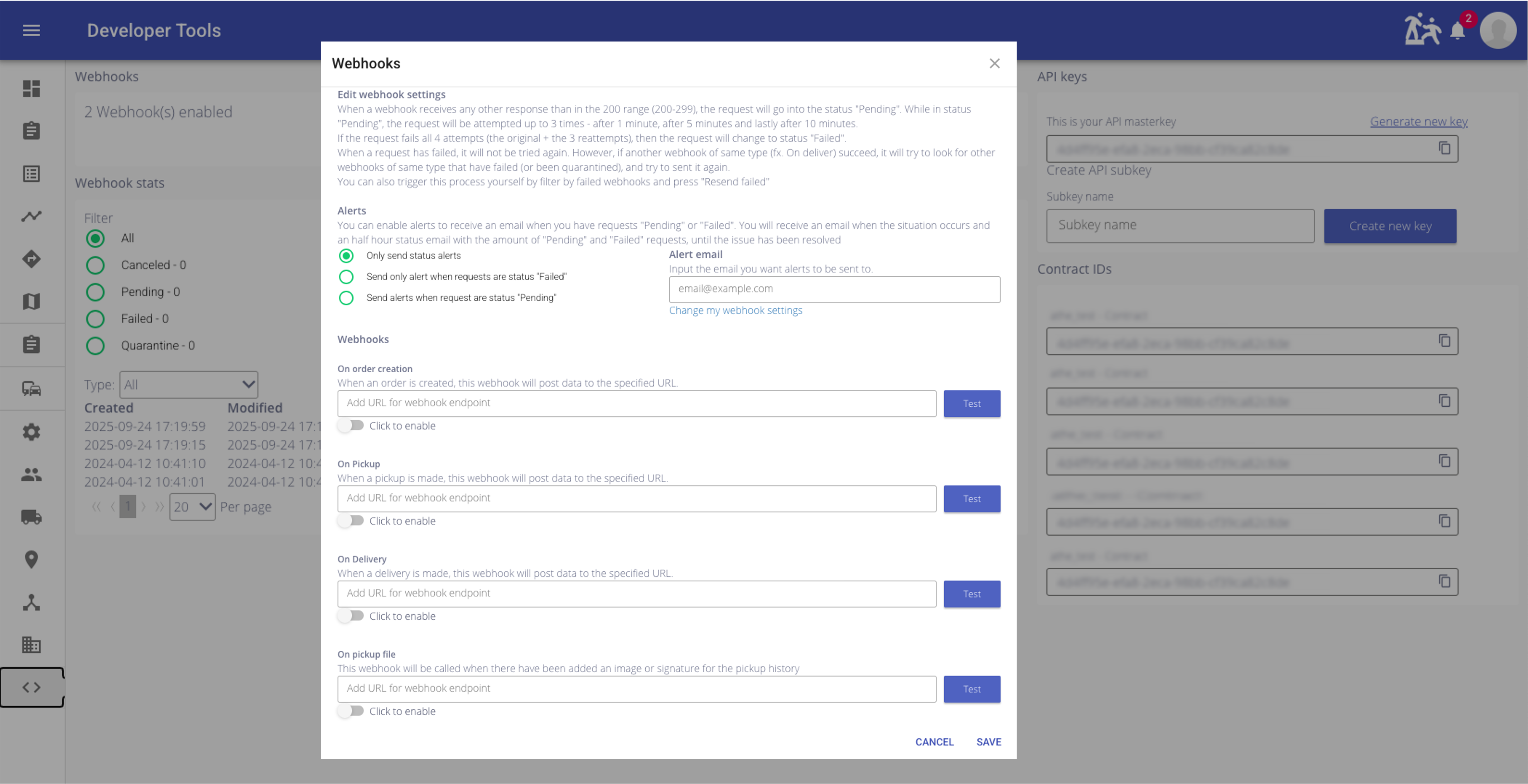
To enable a webhook, enter the URL of where the webhook should request to, either http://, https:// or sftp://. Then click to enable the webhooks, and go to the bottom of the site and press Save
It is recommended to use https:// instead of http://, because there could be confidential information in the webhook request.
To use the sftp protocol, the url should have following format:
sftp://[user]:[pass]@[host]:[port]/[path]
So an example url would be:
sftp://foo:[email protected]:1234/upload
or
sftp://foo:[email protected]:2345
Path is not necessary, so uploading to root directory is possible
The JSON file be uploaded to the SFTP with the expected filename format:
[webhookName]-[webhookId]-[unixTime].json
So example filename would be:
createOrder-69110d5f2b36c802406974c6-1762725215628.json
Output format
The output from a webhook could look like this:
{
  "name": "createOrder",
  "sent": "2025-04-12T10:37:05.601Z",
  "data": [
    {
      "orderId": "5acf36d1a2261f5d4edb91b3",
      "wuxusNumber": "HAU-392-45425580",
      "createType": "order"
    }
  ]
}| Key | Description |
|---|---|
| name | The name of the type of webhook that have been send. In this case it is Order creation webhook |
| send | What time Dropboy sent the webhook. The time will always be in UTC ISO-8601 format. |
| sent | What time Dropboy sent the webhook. The time will always be in UTC ISO-8601 format. |
| data | The data necessary for the webhook |