
How to view remaining route distance in Dropboy (Driver)
7 months ago by Dropboy AS
Driver
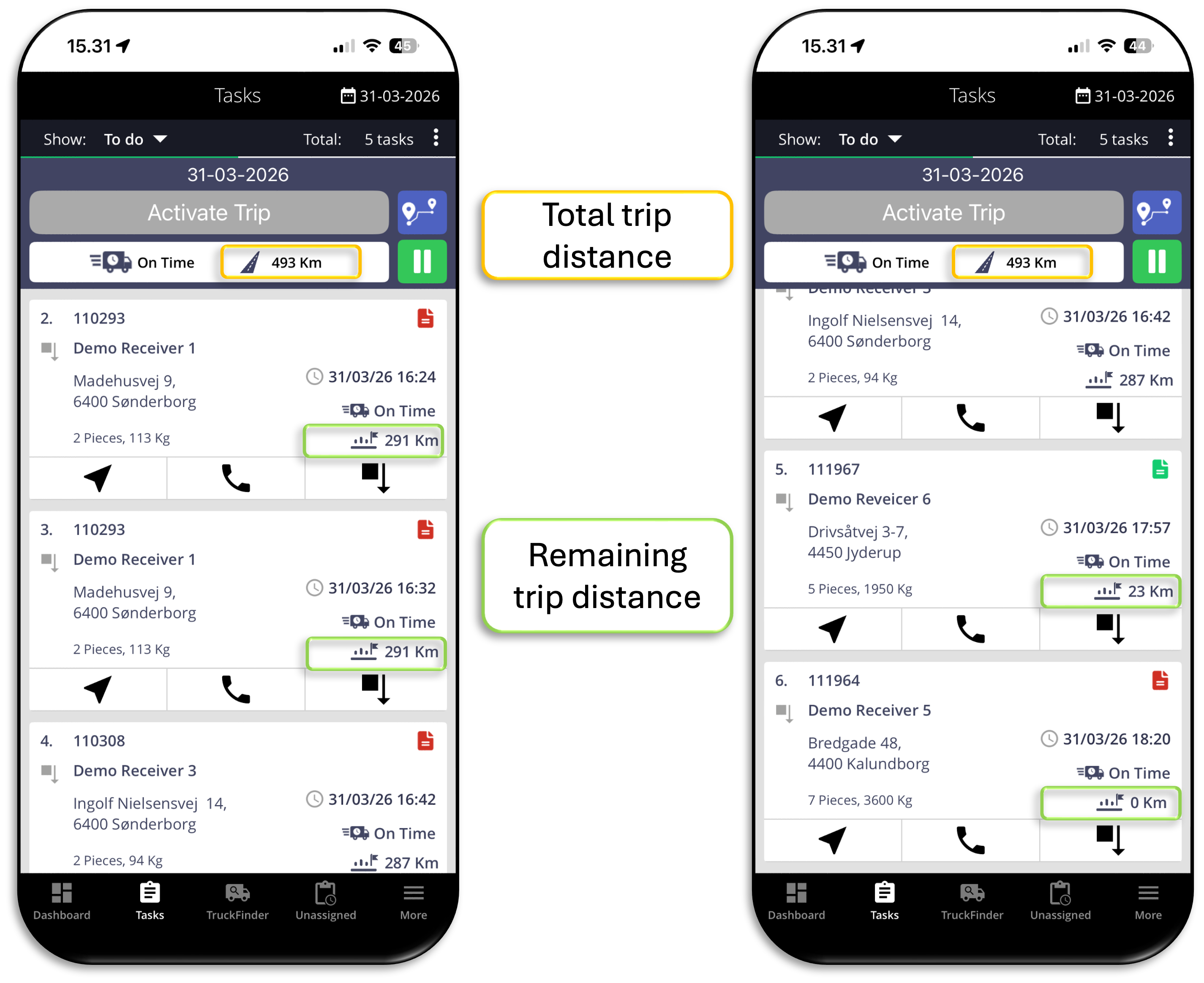
Drivers can now see both the total trip distance and the remaining distance directly in the Tasks view.
What’s new
- View the total trip distance at the top of the trip
- View the remaining distance on each stop
- Remaining distance updates based on how much of the route is left
- Distance is shown in km
How it works
- Open Tasks in the Dropboy app
- View the total trip distance at the top of the active trip
- On each stop, view the remaining distance for the rest of the route
- Remaining distance is calculated based on tasks being completed in sequence
Important to know
- The remaining distance is based on the planned route order. If tasks are completed in a different sequence, the shown distance may not reflect the actual distance driven.
Why this is useful
- This gives drivers a clearer view of how much of the trip is left directly in the app. It can help with route planning during the day and gives better visibility into the remaining route at each stop.